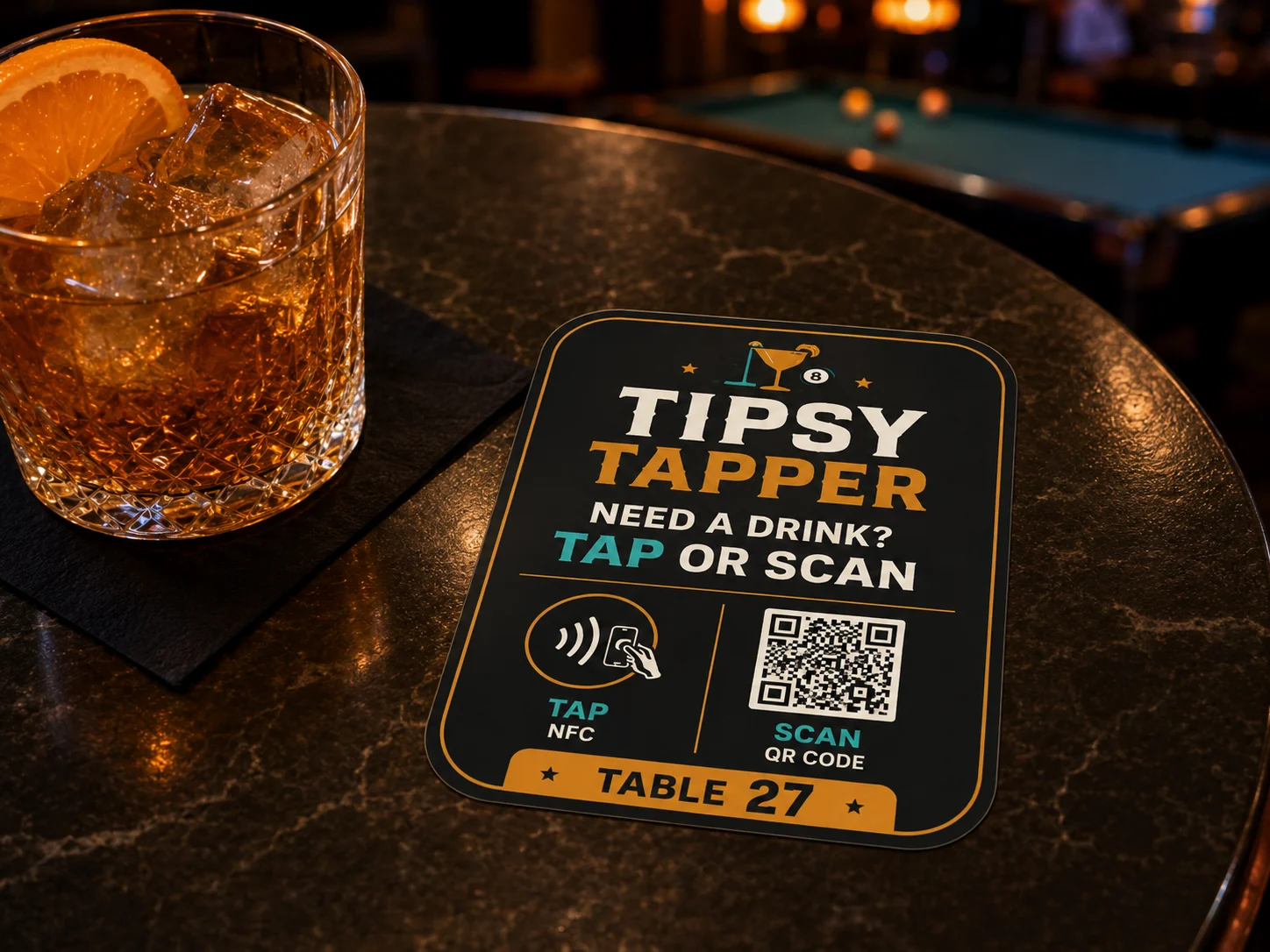
Tap or scan
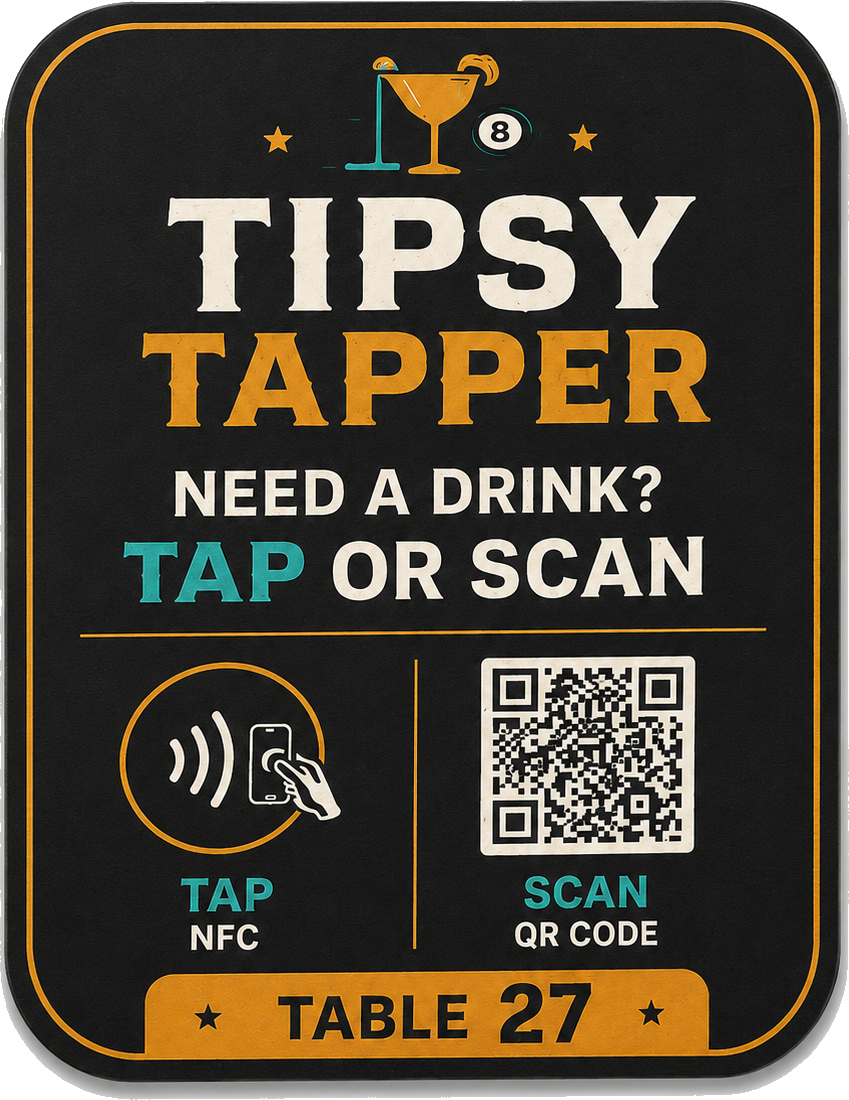
Every marker is linked to its exact table, booth, lane, bay, or service area.
 Tipsy TapperTap · Order · Enjoy
Tap. Order. Keep the good times moving.
Guests tap or scan from their table to order drinks, food, or request service. Staff sees it instantly. No app download. No crowded-bar wait.
Bars • Pool Halls • Breweries • Bowling • Golf & Simulators • Arcades • Restaurants
How it works
The physical marker, guest phone, and staff console work as one simple service path.
Every marker is linked to its exact table, booth, lane, bay, or service area.
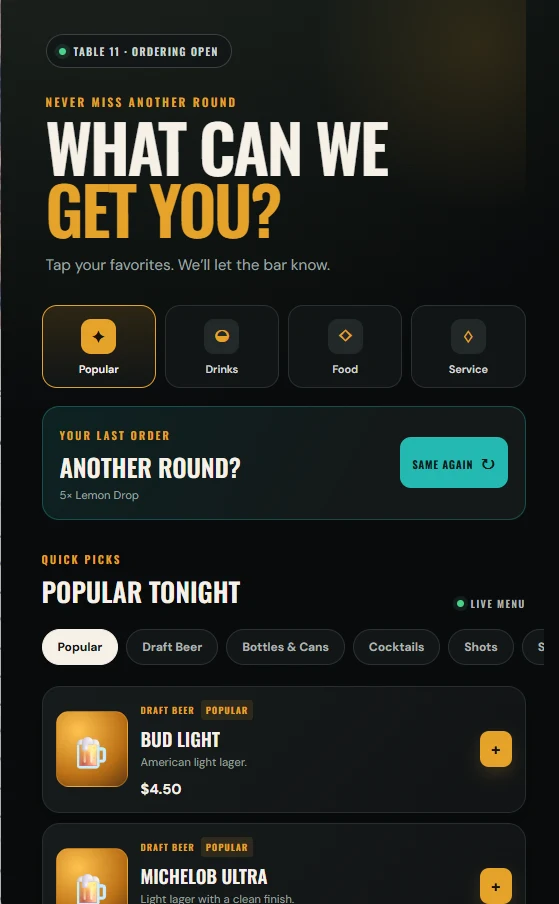
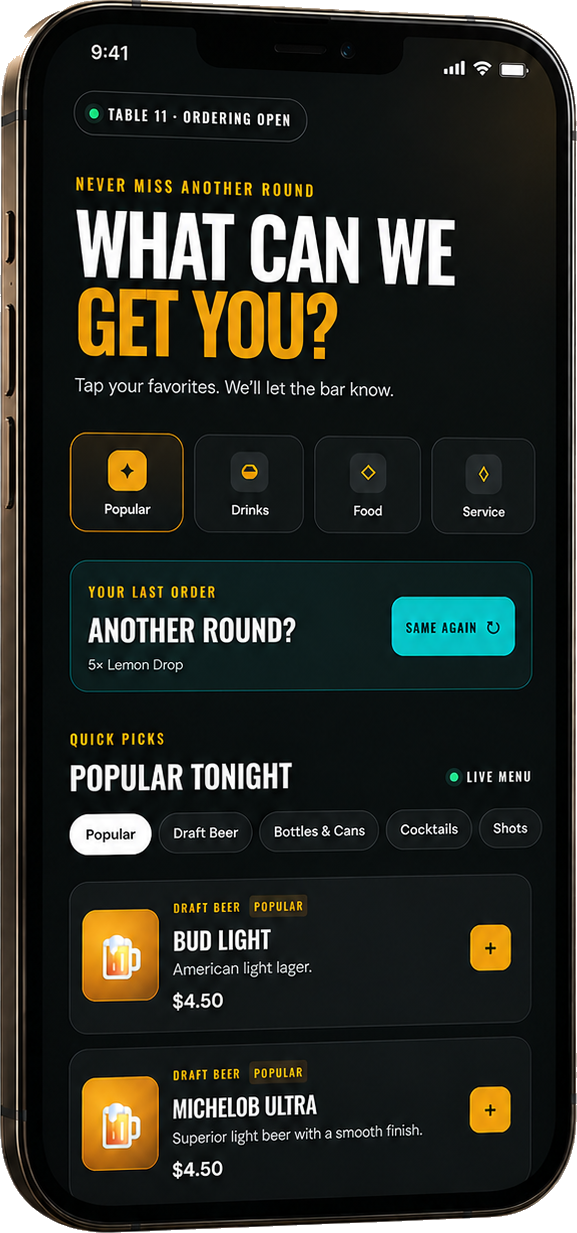
Guests browse, reorder their last round, or request service without downloading an app.
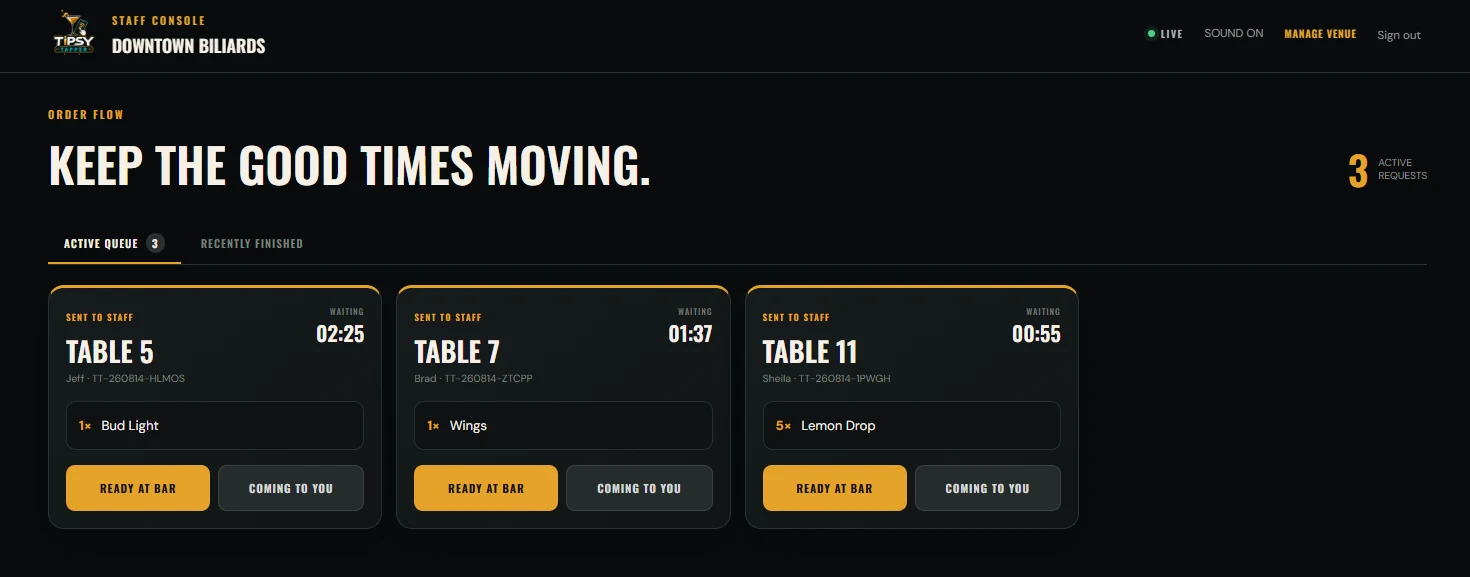
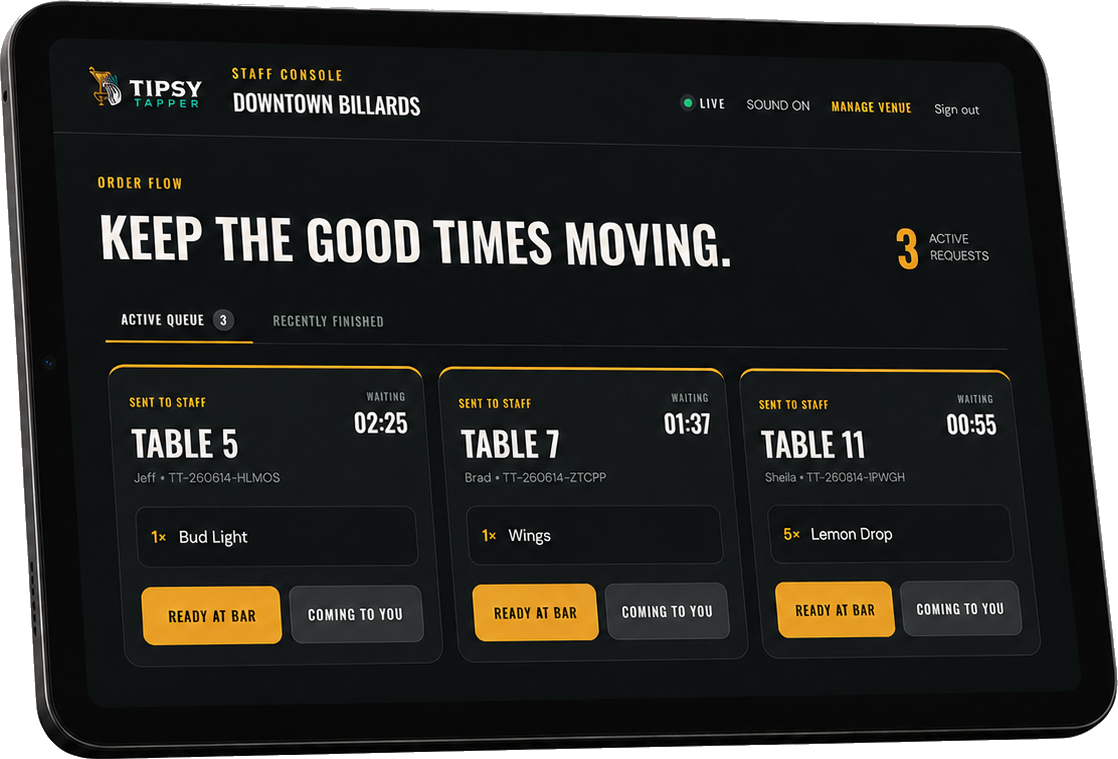
New orders and service requests appear in the venue’s live staff queue.
Less friction. More rounds.
Tipsy Tapper remembers the guest’s last order during their visit. One tap can request the exact same round again.
5× Lemon Drop
Built for the guest
Guest ordering comes first. Account creation is optional.
Optional accounts can remember favorites, speed up reorders, save notification preferences, and show previous orders.
Built for staff
Staff should not need another complicated POS screen. Tipsy Tapper gives them a fast live queue showing exactly who needs what and where.
Live queueMore than another drink
Each venue controls which request types appear.
Another beer, cocktail, shot, or complete round.
Quick food requests without leaving the table.
Let staff know a guest needs a hand.
A clear signal when the table is ready to close out.
Report a table, lane, simulator, or seating problem.
Perfect for busy venues
Keep guests at their table instead of waiting in a crowd.
Make the next pour easier to request.
Keep guests playing instead of hunting down staff.
Guests stay at their lane while service comes to them.
Keep the game moving from every bay.
Service from wherever guests are seated or playing.
Physical hardware
Every permanent marker combines a fast NFC tap, universal QR fallback, and one unique service-point destination.
Table 27 always means Table 27.
Start without disruption
Tipsy Tapper can operate independently from the venue’s POS: the guest sends a request, staff sees it, staff rings it into the existing tab, and fulfills it.
POS integrations are planned as the platform expands. No current integration is implied.
Live guest status
Guests see updates directly in the mobile browser: received, preparing, ready at the bar, or coming to you.
Optional transactional SMS can notify guests when pickup orders are ready after messaging is enabled.
Practical reporting
Understand the requests reaching staff without pretending requested value equals collected revenue.
30-day pilot
Start with a limited number of tables and see how guests actually use it.
Straight answers
No. Tipsy Tapper opens in the customer’s browser after tapping NFC or scanning the QR code.
No. Guest ordering is supported. Accounts are optional and can make future orders faster.
No. Tipsy Tapper can operate alongside the venue’s existing POS and tab workflow.
Not in the current V1 workflow. Staff receives the request and rings it into the venue’s existing POS or tab.
Yes. Each venue controls which service actions guests can request.
Yes. Staff can pause ordering or mark individual items unavailable.
Managers can mark the item unavailable so guests can no longer request it.
Yes. Every permanent service point has its own unique, secure destination.
The QR code provides a universal fallback for any modern phone camera.
No. It works wherever guests benefit from requesting service without leaving their table, lane, bay, booth, or seat.
Ready to keep the good times moving?
Tell us about your venue. We’ll show you how the physical markers, guest ordering, and live staff queue fit your floor.
Available for venues nationwide
hello@tipsytapper.com ↗Ready to keep the good times moving?
Make it easier to order another round, request service, and keep enjoying the night.